

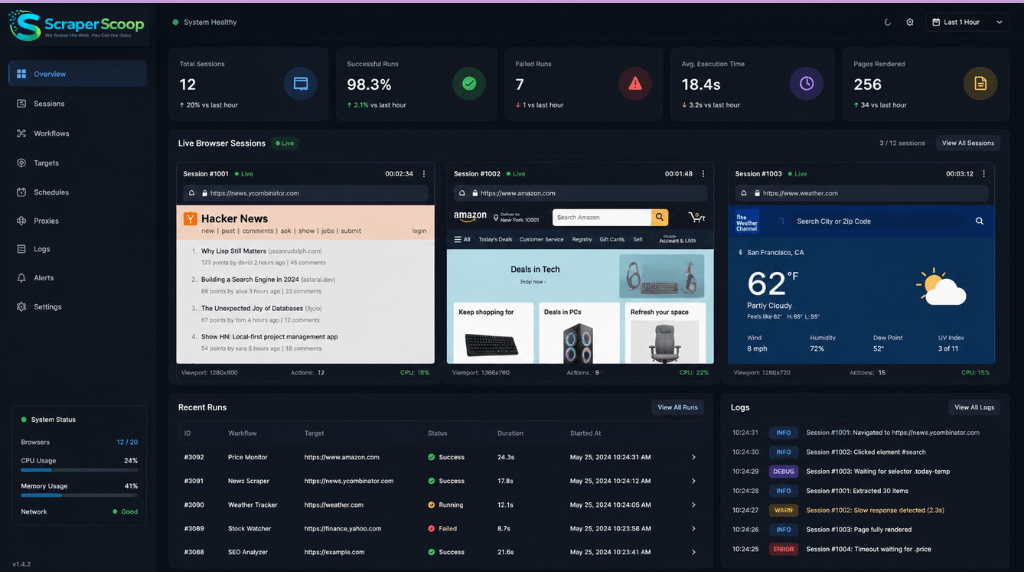
Modern websites are no longer simple HTML pages.
Today’s web applications heavily rely on:
- JavaScript rendering
- Infinite scrolling
- API-driven content loading
- Dynamic DOM updates
- Client-side frameworks like React, Vue, and Angular
Traditional scraping tools often fail to extract meaningful data from these environments because the content doesn’t exist in the initial HTML response.
This is where Headless Browser Scraping with Playwright and Python becomes critical.
Playwright enables developers and businesses to automate real browsers programmatically, making it possible to scrape highly dynamic websites with speed and precision.
In this guide, we’ll walk through:
- What Playwright is
- Why headless browser scraping matters
- How to build a Playwright scraper in Python
- Advanced scraping techniques
- Performance optimization strategies
- Real-world business applications
What is Headless Browser Scraping?
Understanding Headless Browsers
A headless browser is a browser that runs without a graphical user interface (GUI).
It behaves like a normal browser by:
- Executing JavaScript
- Rendering pages
- Loading dynamic content
- Managing cookies and sessions
But it does all of this programmatically in the background.
Popular headless browser frameworks include:
- Playwright
- Puppeteer
- Selenium
Among these, Playwright has rapidly become a preferred solution due to its:
- Speed
- Reliability
- Modern architecture
- Cross-browser support
Why Modern Websites Require Playwright
Traditional scraping libraries like requests and BeautifulSoup work well for static pages.
However, many websites now:
- Load content asynchronously
- Require user interactions
- Use anti-bot protections
- Depend on JavaScript rendering
Without browser automation, critical data may never appear in the HTML source.
Common Challenges Solved by Playwright
Dynamic Content Rendering
Playwright waits for JavaScript execution before extraction.
Infinite Scrolling
Automatically scroll and load additional data.
Authentication Flows
Handle login forms and sessions.
SPA Applications
Extract data from React, Angular, and Vue applications.
Anti-Bot Evasion
Simulate real user behavior more effectively.
Why Use Playwright with Python?
Python remains one of the most popular languages for scraping because of:
- Simplicity
- Large ecosystem
- Data science compatibility
- Automation capabilities
Combining Python with Playwright provides:
- Fast browser automation
- Async support
- Cleaner APIs
- Better stability compared to older frameworks
Installing Playwright in Python
Step 1: Install Playwright
pip install playwrightStep 2: Install Browser Dependencies
playwright installThis installs:
- Chromium
- Firefox
- WebKit
Your First Headless Browser Scraper
Basic Playwright Script
Here’s a simple example:
from playwright.sync_api import sync_playwright

with sync_playwright() as p:
    browser = p.chromium.launch(headless=True)

    page = browser.new_page()
    page.goto("https://example.com")

    title = page.title()

    print(title)

    browser.close()
This script:
- Launches Chromium
- Opens a webpage
- Extracts the page title
- Closes the browser
Understanding Headless Mode
Headless vs Non-Headless
Headless Mode
- Faster execution
- Lower resource consumption
- Ideal for production systems
Non-Headless Mode
- Visual debugging
- Useful during development
Example:
browser = p.chromium.launch(headless=False)Extracting Dynamic Content
Many websites load data after the initial page render.
Playwright allows waiting for elements dynamically.
Example: Extracting Product Titles
from playwright.sync_api import sync_playwright

with sync_playwright() as p:
    browser = p.chromium.launch(headless=True)

    page = browser.new_page()
    page.goto("https://example-store.com")

    page.wait_for_selector(".product-title")

    products = page.query_selector_all(".product-title")

    for product in products:
        print(product.inner_text())

    browser.close()
Headless Browser Scraping with Playwright and Python for Infinite Scrolling
Infinite scrolling is common across:
- E-commerce sites
- Social media platforms
- News websites
Example Infinite Scroll Logic
import time
from playwright.sync_api import sync_playwright

with sync_playwright() as p:
    browser = p.chromium.launch(headless=True)

    page = browser.new_page()
    page.goto("https://example-feed.com")

    for _ in range(5):
        page.mouse.wheel(0, 5000)
        time.sleep(2)

    content = page.content()

    print(content)

    browser.close()
This simulates scrolling to trigger additional data loading.
Handling Login Authentication
Many websites restrict access behind authentication walls.
Playwright can automate:
- Email/password login
- Session persistence
- Cookie management
Example Login Automation
from playwright.sync_api import sync_playwright

with sync_playwright() as p:
    browser = p.chromium.launch(headless=True)

    page = browser.new_page()

    page.goto("https://example-login.com")

    page.fill("#email", "user@example.com")
    page.fill("#password", "mypassword")

    page.click("button[type='submit']")

    page.wait_for_load_state("networkidle")

    print("Logged in successfully")

    browser.close()
Async Scraping with Playwright
For large-scale scraping, asynchronous execution dramatically improves performance.
Async Example
import asyncio
from playwright.async_api import async_playwright

async def main():
    async with async_playwright() as p:
        browser = await p.chromium.launch()

        page = await browser.new_page()

        await page.goto("https://example.com")

        title = await page.title()

        print(title)

        await browser.close()

asyncio.run(main())
Benefits include:
- Higher concurrency
- Faster extraction
- Better scalability
Optimizing Playwright Scrapers
1. Disable Unnecessary Resources
Blocking images and media improves performance.
page.route(
    "**/*",
    lambda route: route.abort()
    if route.request.resource_type in ["image", "media"]
    else route.continue_()
)
2. Reuse Browser Sessions
Launching browsers repeatedly is expensive.
Instead:
- Reuse contexts
- Reuse pages
- Maintain persistent sessions
3. Use Proxies
Rotating proxies help reduce:
- IP bans
- Rate limiting
- Detection risks
4. Randomize Behavior
Human-like interactions improve stealth:
- Random delays
- Mouse movement
- Scroll variation
Common Anti-Bot Challenges
Modern websites increasingly deploy:
- CAPTCHA systems
- Browser fingerprinting
- Behavioral analysis
- Rate limiting
Strategies for Mitigation
Use Residential Proxies
Reduce detection rates significantly.
Rotate User Agents
Avoid repetitive browser fingerprints.
Limit Request Rates
Aggressive scraping increases block probability.
Browser Fingerprint Management
Modify browser properties to appear more natural.
Data Storage Best Practices
Once data is scraped, it should be structured efficiently.
Recommended Formats
JSON
{
  "product_name": "Wireless Earbuds",
  "price": 49.99,
  "availability": true
}
CSV
Ideal for analytics workflows.
Databases
For large-scale systems:
- PostgreSQL
- MongoDB
- Elasticsearch
Real-World Use Cases
E-Commerce Intelligence
Businesses scrape:
- Product pricing
- Inventory availability
- Reviews
- Promotions
Travel & Hospitality
Monitor:
- Hotel prices
- Flight fares
- Dynamic travel demand
Food Delivery Analytics
Extract:
- Delivery ETAs
- Restaurant listings
- Menu pricing
Lead Generation
Collect:
- Business directories
- Contact details
- Market segmentation data
Learn more about our scraping capabilities here:
Custom Web Scraping Services
Scaling Headless Browser Scraping Infrastructure
At scale, browser automation becomes resource-intensive.
Enterprise systems typically use:
- Distributed scraping clusters
- Docker containers
- Kubernetes orchestration
- Queue-based processing
- Cloud browser farms
Monitoring and Maintenance
Websites change frequently.
Successful scraping systems require:
- Selector monitoring
- Failure detection
- Retry systems
- Schema validation
Without maintenance, scraping reliability declines rapidly.
Why Businesses Need Structured Scraping Pipelines
Manual scraping is not scalable.
Modern organizations require:
- Automated pipelines
- Real-time data updates
- Clean structured datasets
- API-ready outputs
These systems support:
- Competitive intelligence
- Market analysis
- Pricing optimization
- AI model training
Why Choose Us
We specialize in building enterprise-grade web scraping infrastructure using modern browser automation technologies like Playwright.
Our Expertise Includes:
- Headless browser scraping
- JavaScript-heavy website extraction
- Async scraping systems
- Proxy and anti-block management
- Real-time data pipelines
- Large-scale dataset generation
What We Deliver
- Clean structured data
- High scraping reliability
- Scalable infrastructure
- Custom APIs
- Automated delivery systems
Whether you need:
- E-commerce intelligence
- Travel pricing datasets
- Q-commerce analytics
- Lead generation pipelines
our solutions are built for scale and performance.
Explore more services:
Best Practices for Long-Term Scraping Success
Focus on Data Quality
Raw extraction alone is not enough.
Data should be:
- Validated
- Normalized
- Deduplicated
- Structured consistently
Build Resilient Architectures
Production-grade systems require:
- Retry mechanisms
- Queue management
- Error logging
- Health monitoring
Optimize Costs
Browser automation can become expensive at scale.
Efficiency improvements include:
- Resource blocking
- Async execution
- Efficient proxy rotation
- Smart scheduling
Future of Browser Automation Scraping
The next generation of scraping systems will increasingly integrate:
- AI-assisted extraction
- Autonomous browser workflows
- Self-healing selectors
- Intelligent anti-bot adaptation
As websites become more interactive, headless browser automation will continue becoming a critical component of enterprise data infrastructure.
Final Thoughts
Headless Browser Scraping with Playwright and Python is one of the most powerful approaches for extracting data from modern dynamic websites.
Compared to traditional scraping methods, Playwright provides:
- Better rendering support
- Improved reliability
- Faster automation workflows
- Advanced interaction capabilities
Businesses investing in scalable browser automation gain access to:
- Real-time intelligence
- Competitive insights
- Large-scale structured datasets
As the modern web becomes increasingly JavaScript-driven, browser automation is no longer optional—it’s essential.
Call to Action
Ready to build scalable browser automation and data extraction systems?
Visit
ScraperScoop Contact Page
to discuss your custom scraping requirements.
You can also explore:


